Animana learning
Welcome
The general introduction course is a great way to get familiar with Animana; it is excellent for new colleagues and new users of Animana. This course is free for all users and will take you approximately 40-60 minutes.
Modules
Navigate directly to one of the modules below
Module 1: Finding your way in Animana
Module 2: Client management
Module 3: Patient management
Module 4: Appointments
Module 5: Invoicing
Module 6: Help
Navigate
Decide what video you want to watch and when. The videos are played automatically one after the other. If you want to navigate between the different items, you can do so via the menu in the video player.
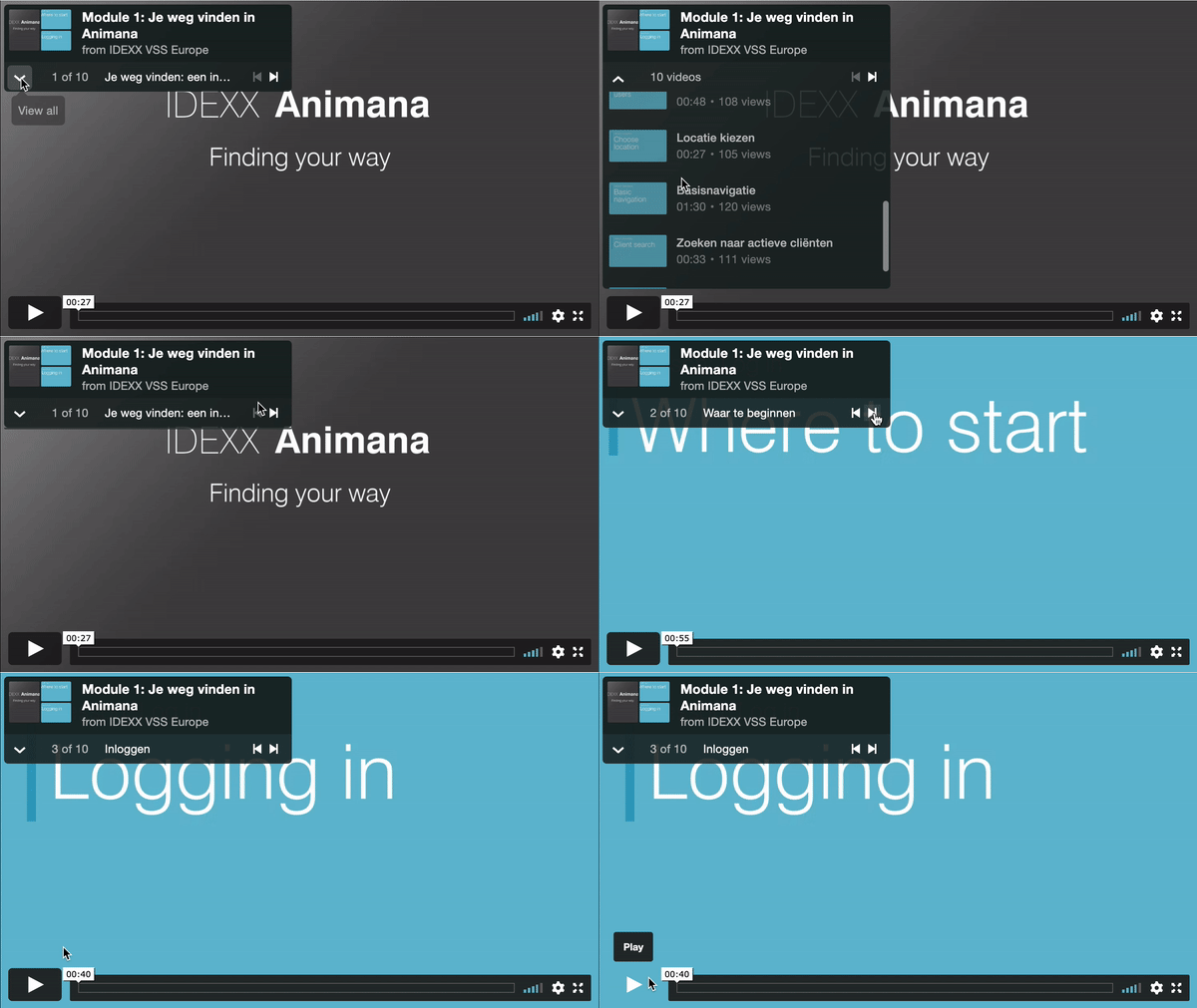
Video player
Make use of the buttons in the video player as shown in the GIF above. This way you can easily browse through the different topics.
More information
Would you like more information about the module you have viewed? The ‘Learn more‘ button shows you the relevant articles from our Animana knowledge base.
Next module
Navigate to the next module with the button or scroll down.
Module 1: Finding your way in Animana
Finding your way in Animana
When you have successfully completed this module, you will be able to:
- Navigate through Animana with ease
- Switch between locations
- Search for clients and patients successfully
Module duration: 10 minutes.
Module 2: Client management
Client management
When you have successfully completed this module, you will be able to:
- Add a new client to your database
- Find your way in the client file
Module duration: 5 minutes.
Module 3: Patient management
Patient management
When you have successfully completed this module, you will be able to:
- Add a new patient to your database
- Find your way in the patient file
- Add patient actions in the system
Module duration: 10 minutes.
Module 4: Appointments
Appointments
When you have successfully completed this module, you will be able to:
- Know the difference between appointment groups and appointment columns
- See immediately where a patient is in the practice, based on the diary status
- Create appointments
- Edit appointments
Module duration: 10 minutes.
Module 5: Invoicing
Invoicing
When you have successfully completed this module, you will be able to:
- Add products and services to a patient file
- Create an invoice
- Process a full payment of an invoice
Module duration: 5 minutes.
Module 6: Help
Help
When you have successfully completed this module, you will be able to:
- Know how to find help when you run into questions
Module duration: 5 minutes.

Latest News
 Seven digital security checks for your veterinary practiceOctober 21, 2026 - 6:12 pm
 Three tips for getting more control of your practice diaryOctober 21, 2026 - 1:14 pm
 Five tips for writing clearer reminders for pet ownersOctober 21, 2026 - 1:04 pm
 The value of time: three ways practice management software can lighten your team’s workloadOctober 21, 2026 - 1:00 pm
 What cloud-based practice management software means for your veterinary practiceOctober 21, 2026 - 12:43 pm